
TM SIM Registration Online
Complete your SIM registration in under 10 minutes through the official portal, the GlobeOne App, or any Globe Store — required under RA 11934 and completely free of charge.
How to Register Your TM SIM?
TM SIM registration is available through five methods, so you can choose whichever fits your phone, internet access, and situation best. Go through each method below and follow the steps exactly as written.
The SIM registration online at the portal is the fastest method for most users with internet access.
Go to the TM SIM registration portal.
Enter your 11-digit TM mobile number.
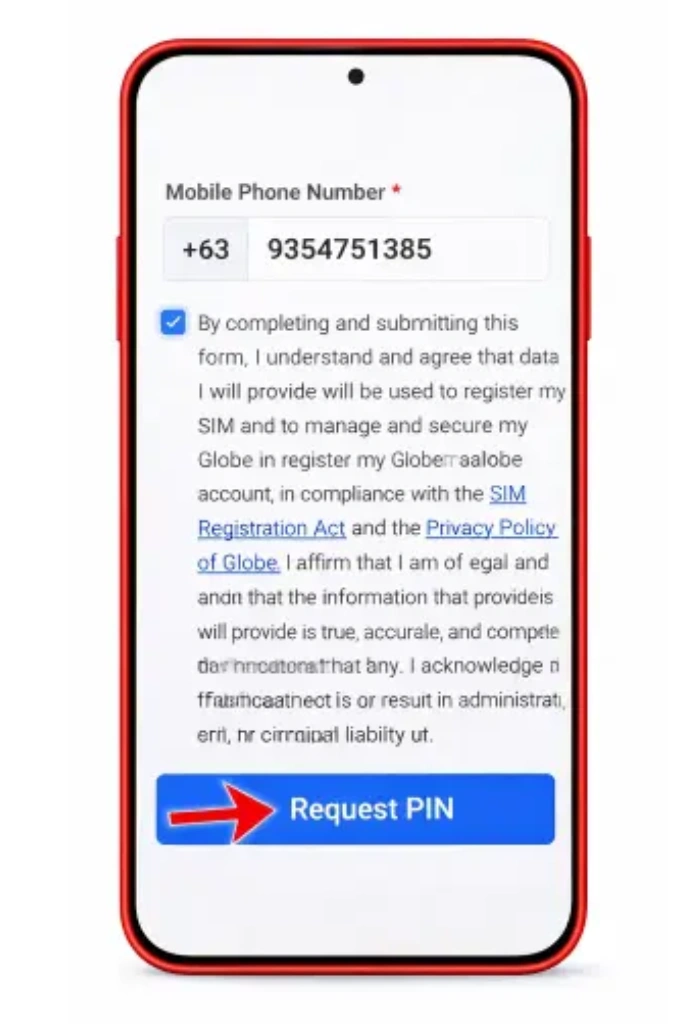
Request your OTP and enter it within 5 minutes.
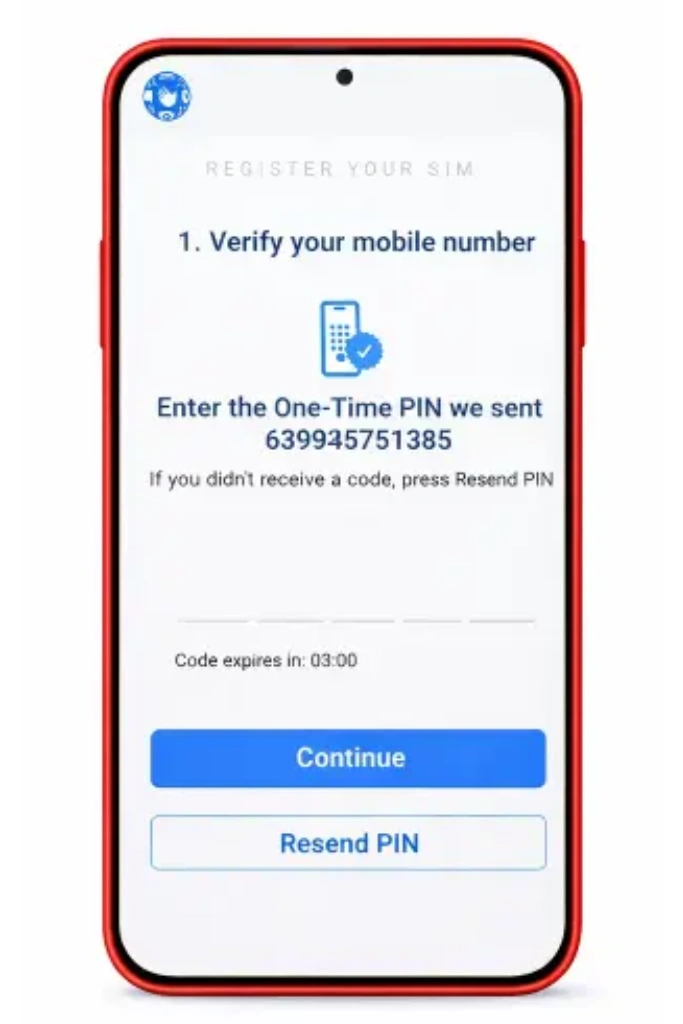
Fill in your personal details exactly as they appear on your ID.
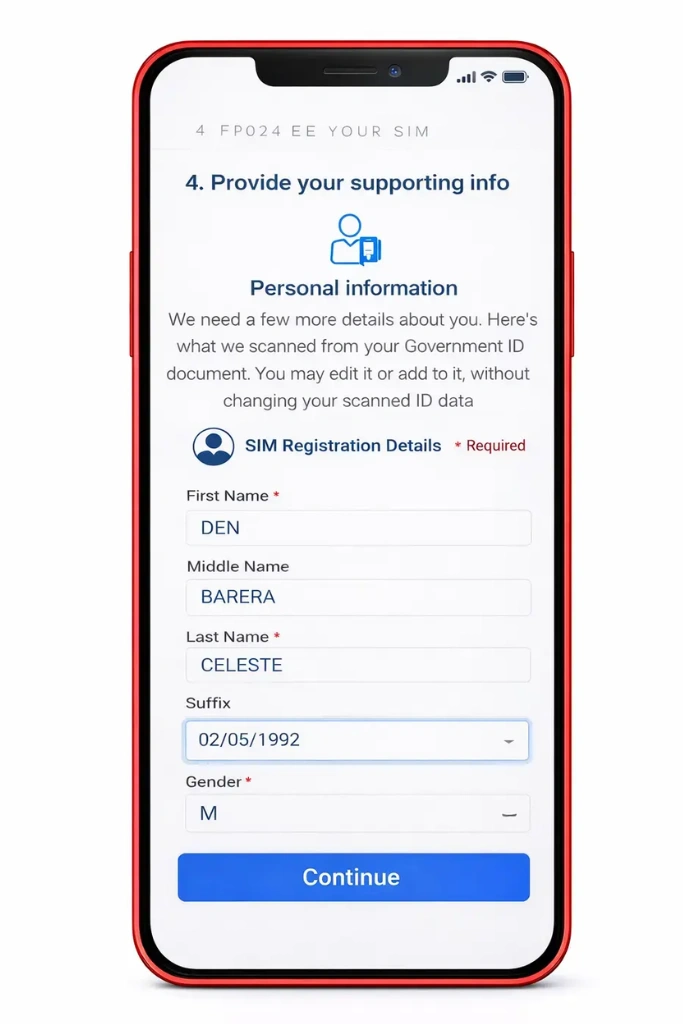
Upload a clear photo of your valid ID in JPG or PNG format under 2 MB.
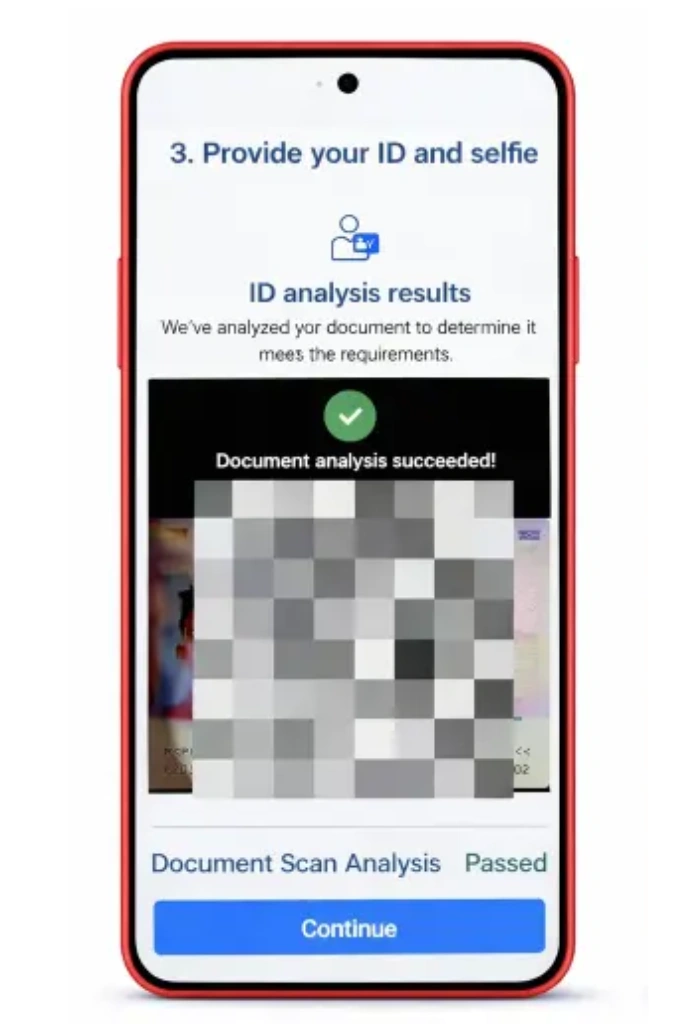
Take and upload a selfie with no filters and good lighting.
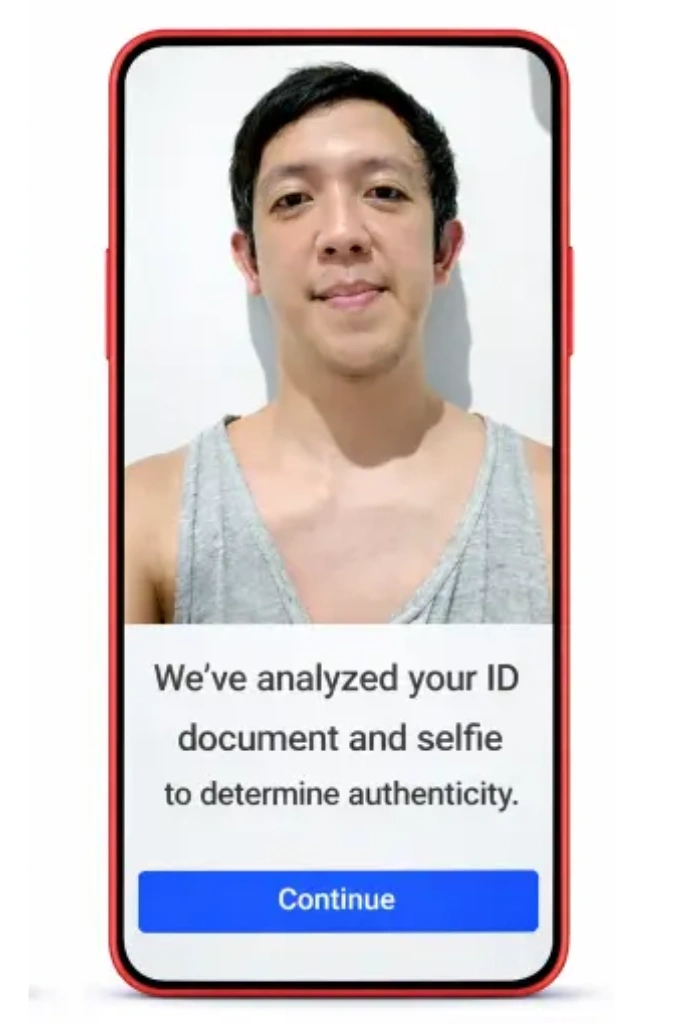
Review all details carefully and click Submit.
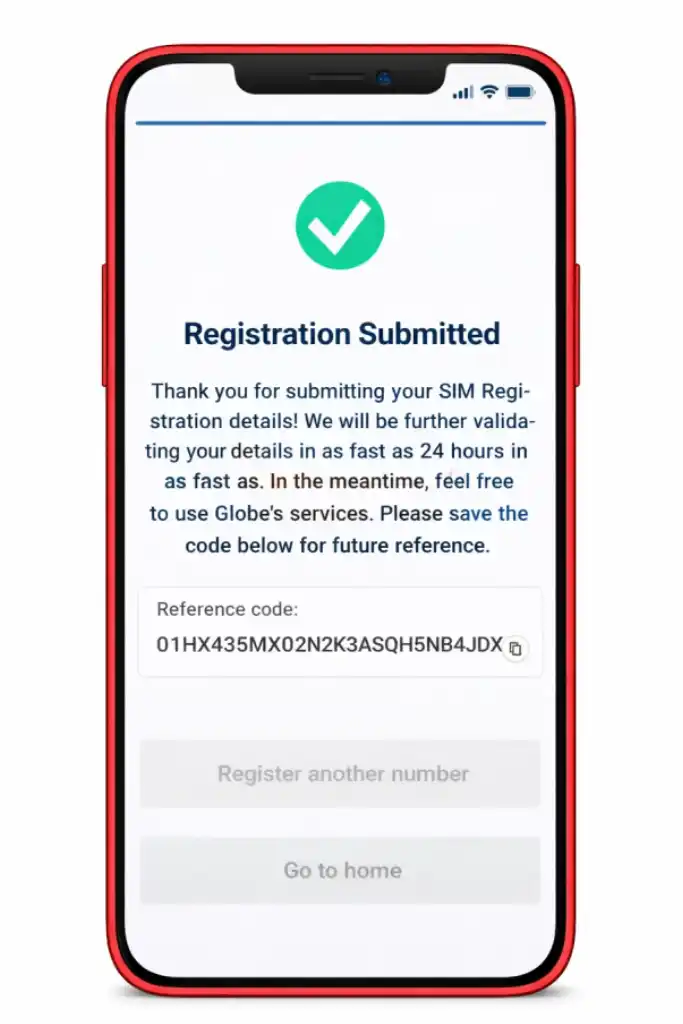
Save the reference number shown on the confirmation screen.
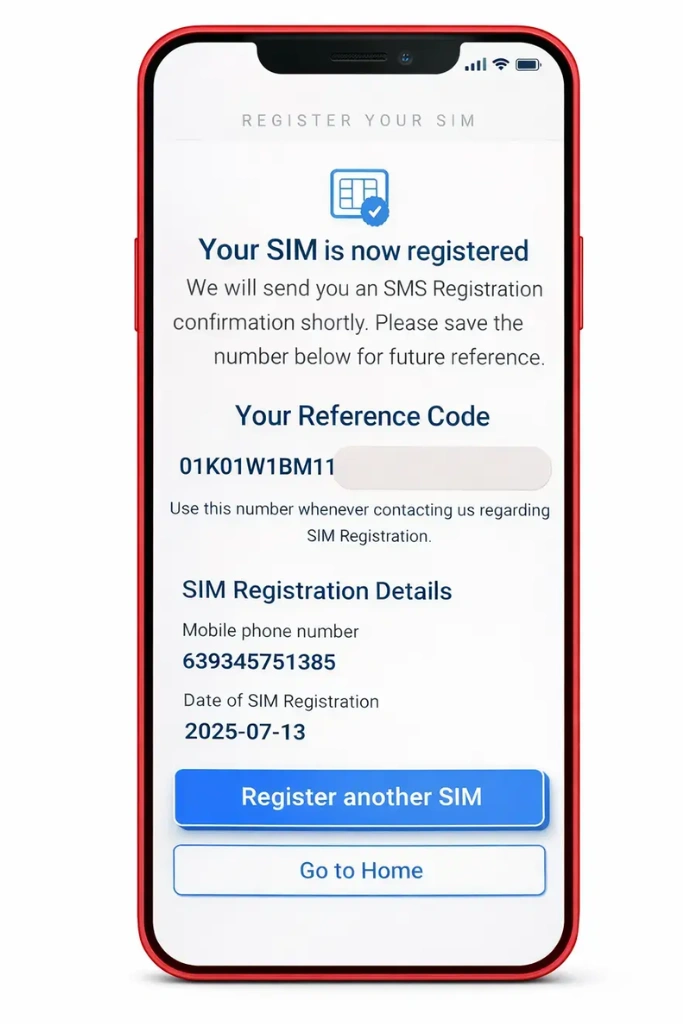
The GlobeOne App is the recommended method for smartphone users and stores your registration history for easy reference.
Download the GlobeOne App from the Google Play Store or Apple App Store.
Open the app and create an account using your TM mobile number.
Tap Register SIM on the home screen.
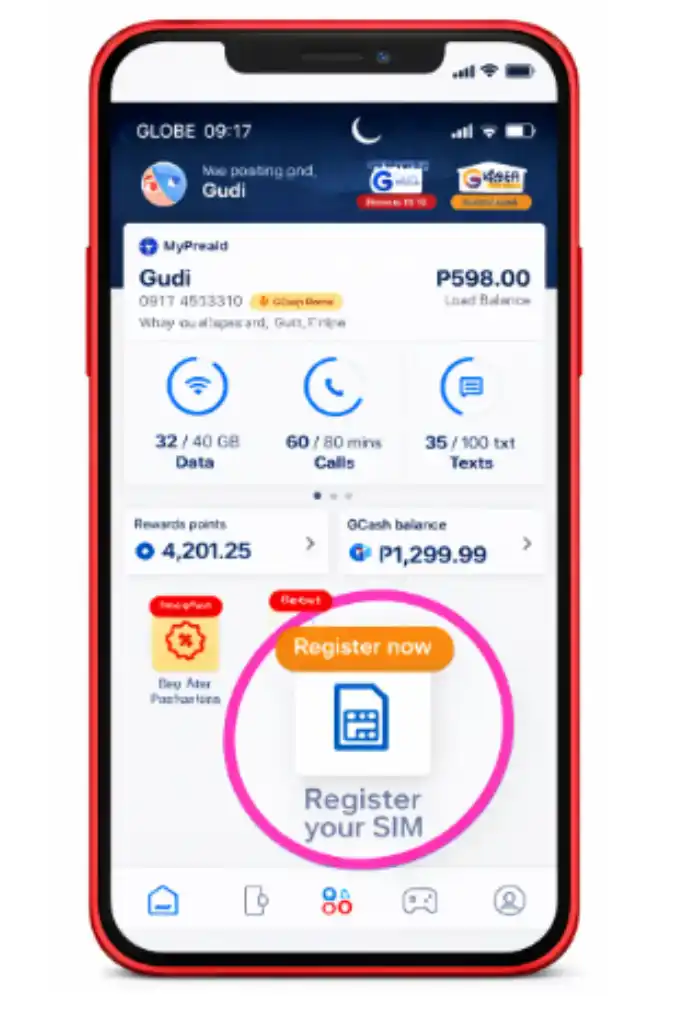
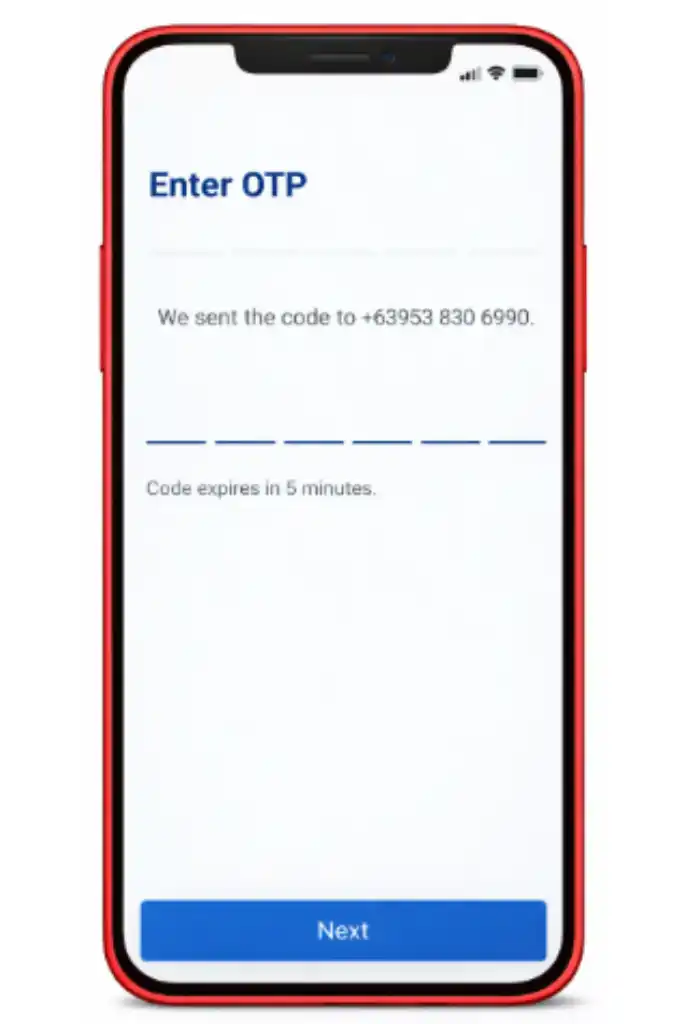
Enter the OTP sent to your number within 5 minutes.
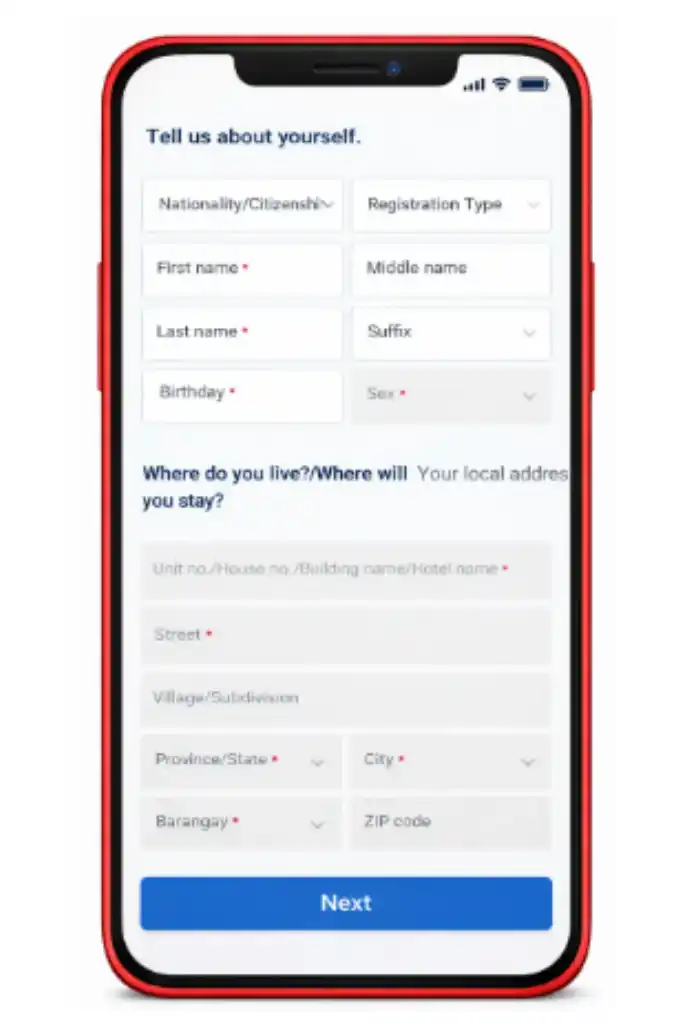
Fill in your personal details as they appear on your valid ID.
Upload your ID photo and selfie, following the same requirements as the portal.
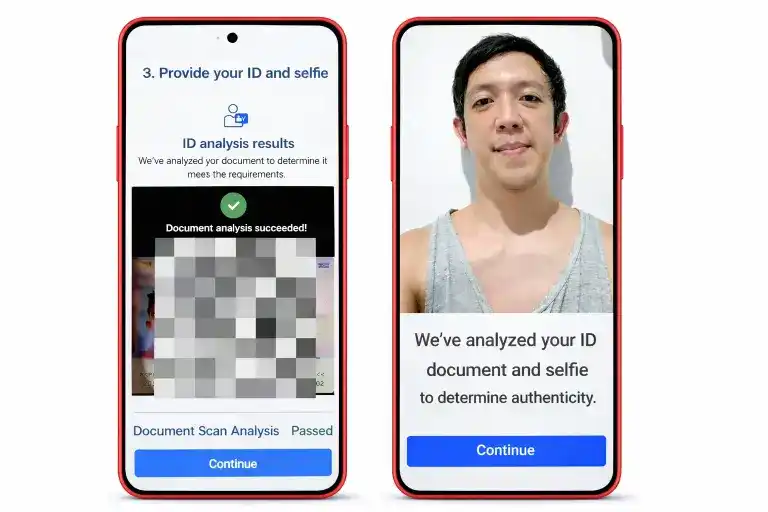
Tap Submit and save your reference number.
This is the best option for users without internet access, senior citizens, PWDs, minors, and businesses.
Visit the nearest Globe Store or authorized Globe retailer with your valid ID.
Inform the staff that you need to complete your TM SIM card registration.
The staff will process the form and verify your identity on the spot.
Collect your reference number and confirmation before leaving.
Watch: Full TM SIM Registration Video Walkthrough
TM Registration Bonuses, Freebies, and Promos
Completing your SIM registration unlocks access to exclusive welcome rewards, free data allocations, and a full range of TM promos on your number. Check the GlobeOne App or dial *143# after registration to see all current offers available on your TM prepaid SIM.
Welcome Rewards
Some TM subscribers receive welcome rewards after completing SIM registration, including free data, call credits, or promo subscriptions. Check the GlobeOne App or text 143 to see what bonuses are currently available on your number.
Data Bonuses
Newly registered TM numbers may receive a free EasySurf data allocation or similar TM data promo as a registration incentive. Availability may vary depending on current Globe Telecom promotions.
5G Ready SIM Upgrade
New TM SIM cards issued after registration are 5G-ready and support LTE and 5G connectivity where Globe Telecom coverage is available. If you are using an older SIM, visit a Globe Store to request a TM 5G SIM upgrade.
Popular TM Promos After Registration
Once your TM SIM activation is confirmed, you can subscribe to the following promo types:
TM Data Promos
EasySurf 50, Surf4All, and other mobile internet packages.
TM Call Promos
Unlimited calls to TM and Globe numbers.
TM Combo Promos
Combined call, text, and data packages at affordable rates.
How to subscribe: Dial *143#, use the GlobeOne App, or text the promo keyword to 8080.
TM SIM Registration Requirements
Everything you need to prepare before registering your TM SIM
You must ensure that you have everything prepared before beginning with your SIM registration TM online to avoid errors or failed submissions. Requirements vary depending on your registration type and user category.
- An active TM SIM card that is inserted in your phone.
- Your 11-digit TM mobile number.
- One valid government-issued photo ID.
- A clear selfie with no filters.
- Stable internet connection for online methods.
- PhilSys ID or National ID
- Passport
- Driver’s License
- UMID
- PRC ID
- Postal ID
- Voter’s ID
- Senior Citizen ID
- PWD ID
- Your face must be fully visible with no accessories or filters.
- Good lighting with no shadows covering the face.
- The photo must match the face on the uploaded ID.
- Updated browser or GlobeOne App installed on Android or iPhone.
- Stable internet connection or mobile data.
- Camera access enabled for ID upload and selfie capture.
- File size under 2 MB in JPG or PNG format.
- One valid government ID from the accepted list above.
- Personal details matching the ID exactly, including full name, date of birth, and address.
- Valid passport with bio page clearly visible.
- Proof of Philippine address, such as a hotel booking, lease agreement, or affidavit.
- Tourists must also present a return or onward ticket.
- Long-term residents must provide an ACR I-Card, work permit, or student permit.
- A parent or legal guardian must complete the registration.
- Guardian’s valid government ID must be uploaded.
- A signed consent form is required and must be submitted at a Globe Store or TM store.
- Senior Citizen ID or PWD ID accepted as primary valid ID.
- Registration follows the same steps as standard Filipino citizen registration.
- In-store assistance is available at any Globe Store for those who need help.
- SEC registration or business permit.
- An authorization letter and a valid ID of the authorized representative.
- Must be completed in person at a Globe Store or authorized Globe retailer.
- All details must match your ID exactly, or the registration will be rejected.
- You cannot use the same ID to register more than a limited number of SIMs.
- Registration is completely free through all methods.
- Save your reference number after submission as proof of registration.
How to Check Your TM SIM Registration Status?
It is important to confirm whether your application was approved and your SIM is fully active after you submitted your TM SIM registration.
Here are four ways to check your SIM registration status quickly and accurately.
Registration Portal
Go to simreg.globe.com.ph, enter your TM mobile number, and follow the prompts to view your current TM SIM verification status.
GlobeOne App
Open the GlobeOne App, log in with your TM mobile number, and check the home screen for a Registered badge confirming your TM SIM registration status.
TM Customer Support
Text SIMREG to 8080 from your TM number to receive an SMS confirmation of your registration status. You can also call 211 free of charge from any TM number.
Globe Store
Bring your valid ID to any Globe Store and request a manual registration status check from the staff.
Frequently Asked Questions
Get quick answers to the most common questions about TM SIM registration, status checks, and support.
Yes, SIM registration is completely free through all methods, including the online portal, GlobeOne App, and in-store registration at any Globe Store.
Yes, but there is a limit on the number of SIMs you can register per ID under the SIM Registration Act. Check the current limit with TM customer support at 211.
Yes, visit any Globe Store with your valid ID to update or correct your TM SIM registration details. Online self-service updates are not currently available.
Report the loss immediately by calling 211 and then visit a Globe Store with your valid ID to apply for a TM SIM replacement with the same number.
Yes, you can complete SIM registration online through the portal or GlobeOne App from abroad as long as you have an internet connection and a valid Philippine ID.
Yes, SIM registration for tourists requires a valid passport, proof of Philippine address, and a return or onward ticket. Registration follows the same online or in-store steps.
Some TM subscribers receive welcome rewards, including free data or promo credits after registration. Check the GlobeOne App or dial *143# to see current offers on your number.
Yes, visit a Globe Store with your valid ID and registered TM number to request a conversion from a physical SIM to a TM eSIM.
Call 211 free from any TM or Globe number, visit any Globe Store nationwide, or reach Globe Telecom through their official social media channels for registration assistance.

TM SIM Registration Helpline and Customer Support
TM Customer Service
Call 211 free of charge from any TM or Globe number for registration assistance, troubleshooting, and SIM-related concerns. The TM hotline is available seven days a week.
Globe Stores
Visit any Globe Store or authorized Globe retailer nationwide for in-person registration help, SIM replacement, and account verification. Bring a valid ID for all in-store transactions.
Official Social Media Channels
Reach Globe Telecom and TM customer support through their official Facebook page and other verified social media accounts for general inquiries and registration updates.